

BISP Wallet Verification Error 2026: Why Eligible Women Are Not Qualified for the Digital Wallet SIM
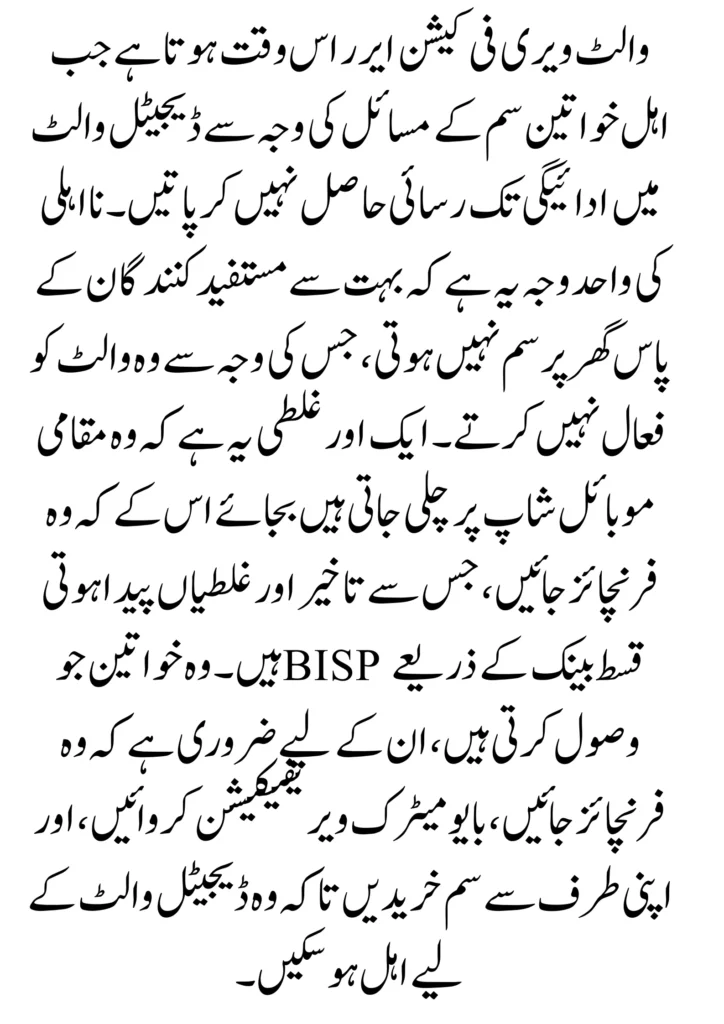
BISP Wallet Verification Error 2026 happens when eligible women do not have access to payment in the digital wallet due to SIM issues. The only reason for ineligibility is that many beneficiaries do not have a SIM at home, meaning they do not activate the wallet. Another mistake is to go to a local mobile shop instead of a franchise, which causes delays and errors. Women who receive BISP Qist through banks are required to stop by the franchise, go through biometric verification, and purchase a SIM from themselves in order to be eligible for the digital wallet.
Read More: Why BISP Payments Get Blocked in 2026 and How Re-Verification Can Protect Your Payment
BISP Wallet Key Points 2026
| Topic | Key Points |
| Eligibility Issue | No SIM registered on CNIC, SIM under another name, expired/blocked SIM |
| Wallet Activation | Requires correct CNIC & SIM, biometric verification, and automatic system validation |
| Biometric Verification | Fingerprints matched with NADRA, wallet blocked if a mismatch, update via authorised centres |
| Authorized Franchise | Must visit an authorised franchise for SIM; local shops may cause errors or delays |
| Maintaining Wallet Eligibility | Keep one active SIM, use it regularly, have a valid CNIC, complete biometric verification, and avoid frequent SIM changes |
| Support | Contact official BISP channels if errors happen, and avoid unofficial agents |
How the BISP Digital Wallet System Works in 2026
The BISP digital wallet is introduced to make the payments for eligible women in Pakistan more secure, transparent, and easy. Rather than queues or deductions, beneficiaries can now transfer money straight to a digital wallet using their CNIC and mobile SIM.
This system needs to be identity verified. If the CNIC data, mobile SIM record, or biometric information does not match official databases, the wallet cannot be activated. Therefore, understanding the system is very important in order to avoid payment delays.
BISP Digital Wallet Verification Process for Women Beneficiaries
Identity verification is used to verify the identity of the BISP digital wallet. It then checks if the woman receiving financial help is the same person with whom both the CNIC and the SIM are attached. This is required to stop fraud and to ensure transparency.
If there is a successful verification, the wallet is activated, and the payments are made on time. But if no or very little detail needs to be entered, the system makes a verification error and temporarily blocks the wallet.
Step-by-Step Process
- Check Eligibility on 8171: First, you must be able to make sure you are eligible by checking your CNIC number on 8171 or by checking the BISP website.
- Find a SIM Number on Your CNIC: Make sure you have a SIM to use for this purpose. Visit a franchise, not a store, of JazzCash / Easypaisa.
- Biometric Verification at Franchise: Complete thumb biometric verification with your original CNIC at the franchise to activate the SIM.
- Digital Wallet Activation: Once your SIM is activated, the franchise will open or link your digital wallet (JazzCash or Easypaisa) to your CNIC.
- Data Matching to BISP Records: BISP compares your CNIC, SIM, and wallet data with NADRA and PSER data.
- Confirmation Message: Once approved, you will receive an SMS confirmation that your wallet has been verified.
- BISP Payment: Once BISP payments are received, they will be sent to your digital wallet.
- Visit the BISP Office if the issue happens: If verification is unsuccessful, visit the nearest BISP Tehsil Office with your CNIC and active SIM for the correction of the record.
Read More: Why BISP Payments Get Blocked in 2026 and How Re-Verification Can Protect Your Payment
Why Eligible Women Not Qualified For Digital Wallet SIM
These are the top 2026 causes of wallet verification errors:
- No SIM was active on the woman’s CNIC.
- SIM was registered with another family member’s CNIC.
- Verification of biometric information and SIM activation.
- Inactive, blocked, or expired mobile SIM.
- Mismatch between CNIC and telecom records.
Importance of SIM Registered on CNIC for BISP Wallet
The most important part of the BISP digital wallet is to have a SIM registered on the beneficiary’s own CNIC. Without this, the system cannot give the wallet to the right person.
The digital wallet system acts as a manual system and does not require user approval when a SIM is not owned correctly. Women, therefore, have to ensure that their SIM is in their own names and are formally registered.

Biometric Verification in BISP Wallet Activation
- Biometric verification ensures the proper beneficiary is paid.
- A SIM is issued with NADRA records matching fingerprints.
- Successful biometric verification is also an important condition for activation of a wallet.
- If fingerprints are not the same, the wallet is blocked.
- Achieving eligibility can be reconfigured by updating biometric data at authorised centres.
Why an Authorised Franchise and BISP Offices are Important for a BISP SIM
Franchises with official mobile companies have access to the authorised machine, the biometric thumb verifying machine, and a legal registration program to store your SIM properly and legally in your name. They check your CNIC, biometric details, and SIM numbers according to government standards.
On the other hand, this can be a problem of activation in small local mobile shops, which can lead to a wrong SIM registration and a charged fee or unnecessary waiting time for a digital wallet. A SIM from a licensed franchise will help avoid verification issues and is convenient to activate your BISP digital wallet.
In Lodhran, some franchises were reported to have charged Rs. 1,000 a person to BISP beneficiaries, pretending to issue SIM cards, and promising to register the people. It is important to note that BISP SIM cards are completely free and only available at official BISP offices or Licinced franchised.
How Women Can Maintain BISP Wallet Eligibility in 2026
It takes little but important steps to remain eligible for the BISP digital wallet. Women who follow the proper process can avoid repeated verification errors and payment blocks.
Here are actions that will keep the wallet active and able to participate:
- Keep one active SIM in your CNIC.
- Use the SIM often to avoid deactivation.
- Make sure the CNIC is valid and not expired.
- All of the biometric verification you need to do entails correct biometric verification.
- Avoid changing SIM numbers frequently.
What to Do If the BISP Wallet Verification Error Continues
- Check Again SIM Ownership: Make sure you have a SIM on your computer. If not, visit a licensed mobile franchise to get a new SIM issued in your name.
- Visit a licensed franchise only: Avoid local shops. Go to a franchise official in JazzCash or Easypaisa to have biometric verification done correctly.
- Confirm Wallet Activation: Ask the franchise staff to activate or relink your digital wallet to your CNIC and SIM.
- Update BISP & PSER Records: Call the BISP Tehsil Office with your original CNIC and active SIM to correct any data errors or update your survey.
- Resolve Biometric Issues: If fingerprints are not taken, contact the franchise or BISP office to have biometric re-verification done.
- Wait for System Sync: Once BISP systems are synchronised, wait 24–72 hours and check the status again.
- Avoid Agents or Fees: BISP services are free, but do not pay any agent claiming to “fix wallet problems”.
Conclusion
Women can participate fully in the program; most commonly, the BISP Wallet Verification Error 2026 is due to SIM ownership, biometric, or data mismatch. Firstly, making sure a SIM has been registered in the beneficiary’s own CNIC and doing biometric verification at an authorised franchise are the most important steps in activating the wallet. This type of digital wallet aims to allow for more transparency and better payment security, but it requires accurate identification. Through official processes, keeping records, and not going to local shops or agents, women can avoid delays and get BISP payments through digital wallets easily.
FAQs
Why am I eligible for BISP but not qualified for the digital wallet SIM?
This usually happens because your SIM has not been registered in your own CNIC, your SIM is no longer active, blocked, or your biometric verification failed.
Can I get a SIM from a local mobile shop for BISP payments?
No. Visit the authorised mobile franchise, like JazzCash or Easypaisa. Biometrics are not always available at local shops, which can result in verification errors.
Is biometric verification compulsory for the BISP digital wallet?
Yes. Biometric (thumb) verification is not optional. If the biometric matching is unsuccessful against NADRA records, the wallet cannot be activated.
How long does wallet verification take after correction?
Typically, system updates take 24 to 72 hours to reflect after being fixed.