
How to Reactivate Your BISP-Blocked Account in December 2025
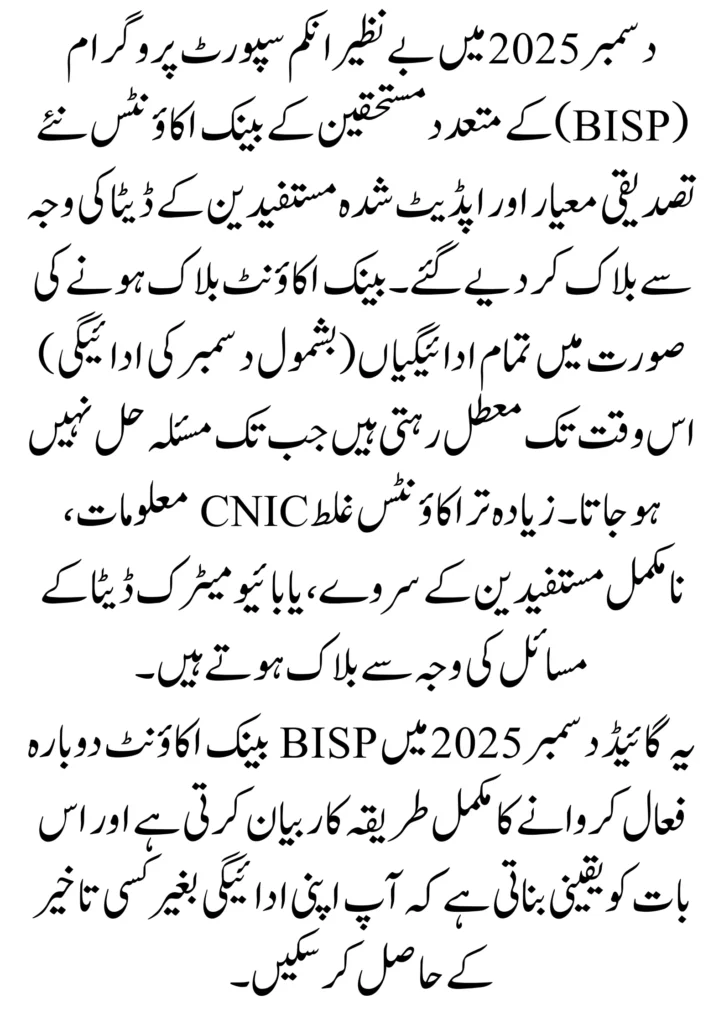
Many beneficiaries of the Benazir Income Support Programme (BISP) had their banking accounts blocked in December 2025 as a result of new verification criteria and updated beneficiary data. Blockage of a banking account will result in the pause of all payments (including payment for December) until the issue can be resolved. Most blockages are caused by incorrect CNIC information, incomplete beneficiary surveys or issues with biometric data. This Guide explains the process of the entire procedure to reactivate your BISP-Blocked account in December of 2025 and ensures that you receive your payment without delay.
Read More: BISP 8171 Missing Payment – Easy Way to Fix the Problem and Receive Your Amount
Reasons Why BISP Accounts Get Blocked in December 2025
- Expired or Unverified CNIC: If your CNIC has expired or is not properly updated in the NADRA database, then your BISP account will be blocked by default.
- Biometric Verification Failure: If you arrive at a payment centre and your thumbprint does not match what’s in the system, your account will be temporarily blocked.
- Outdated NSER/Dynamic Survey Data: If your household information contained within the NSER database is considered “outdated” or “incomplete,” then your record will be marked for “verification required.”
- Increased Poverty Score (PMT): If your poverty score exceeds the limits associated with your eligibility, then your account could be terminated.
- Incorrect Personal or Family Information: Your personal/family details were entered incorrectly. Wrong information (name, address, family member) causes your account to have system issues.
- Duplicate or Suspicious Records: Duplicate or suspicious activity creates duplicate accounts and can lead to an account block for your protection.
- Loan or Financial Issues: Flagged transactions associated with financial activity (unverified loan) will result in account locking if flagged as a risk.
Read More: Benazir Kafalat Program Disqualification Reasons and Re-qualification Process 2025
Required Documents for December 2025 Reactivation
- The required CNIC should be current and up-to-date in the NADRA database.
- If fingerprint/biometric verification fails, you will need a NADRA Biometric Slip.
- The Family Registration Certificate (FRC) helps confirm the identity of the household and the family structure.
- In the event there is a problem with the address, a Utility Bill will be required in order to verify your address.
- If your poverty score is high, you must provide proof of Income or Expenses.
- If your account was blocked due to a financial discrepancy, Loan Clearance Proof is only required.
- If you submitted a complaint to BISP, you can follow up with the given BISP Complaint/Tracking Number.
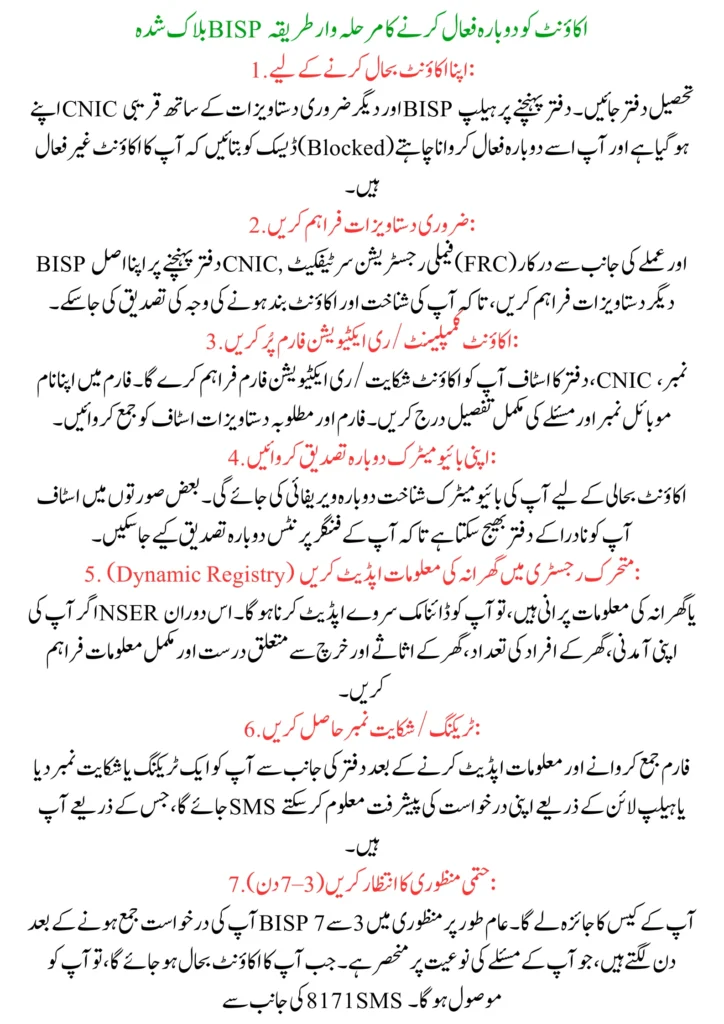
Step-by-Step Process to Reactivate Your Blocked BISP Account
1. To Restore Your Account:
To activate your account again, go to the nearest Tehsil BISP office with your CNIC and any other necessary documents during normal business hours. When you arrive, please notify the Help Desk that your account has been deactivated and you want to get it back up and keep it.
2. Provide The Necessary Documents:
Once you arrive at the BISP office, present your Original CNIC, Family Registration Certificate (FRC), and any other documentation that is required by the staff to verify your identity and determine the reason your account has been blocked.
3. Complete The Account Complaints/Reactivation Form:
The staff will provide you with the Account Complaint/Reactivation Form. You should complete the form with your name, CNIC, and mobile number. In addition, you should explain in detail your problem. Submit the Account Complaint/Reactivation Form along with any additional documentation requested to the BISP staff for processing.
4. To Re-Verify Your Biometric ID:
When you come to restore your account, the staff at the office will ask you to verify your biometric ID again. The staff may refer you to NADRA to re-verify your fingerprint data.
5. Updating Your Household Information with Dynamic Registry
If you have outdated NSER or household information, you will need to complete or update your Dynamic Survey. When completing your survey, ensure that all information provided is complete and accurate regarding your income, household size, household assets, and household expenditure.
Read More: BISP Dynamic Registry 2025: How to Check Status and Update Your Information
6. Obtain a Tracking/Complaint Number:
After the submission of your form and update, you will receive a tracking or complaint number from the office. This number is used to track the status of your reactivation via SMS or through the helpline.
7. Wait for Final Approval (3–7 Days):
After your submission has been received, BISP will review your case. The time it takes for your case to get final approval (normally between 3-7 business days) is determined by the nature of your problem. When your approval has been granted, you will be sent an SMS confirmation from 8171.
How to Check Reactivation Status (December 2025)
1. Verification via SMS Service by 8171:
Send your 13-digit CNIC Number (with no dashes) to 8171, and you will receive an SMS response indicating:
- Your account has been activated
- Additional verification is posted
- Your eligibility status is okay for the December payments
2. BISP (8171) Online Status Verification:
- Go to the Official BISP (8171) Online Website
- Enter your CNIC Number
- Enter Captcha Code
- Click on the “Verify” Button
- The Portal shows that the Approval is pending, waiting for Further Documents.
3. Call BISP Helpline at 0800-26477:
To check the status of your reactivation, you can call BISP’s official helpline. You will be asked for your CNIC (National Identity Card) number by the customer service representative. You will be provided with information on the progress of your complaint, verification challenges you are experiencing and how long it will be before you receive approval.
4. Go to Tehsil Office Status Counter:
You can go directly into the BISP Tehsil Office if you would rather receive an in-person update. Find the status counter and give the staff your tracking number or CNIC. The staff will access the records of your account and provide you with an update on whether your account is now active or if there are still pending actions for you to take.
If Your CNIC Is the Problem
1. Renew Your CNIC
If your CNIC has expired, you must go to your local NADRA Centre to apply for a renewal of your CNIC; your BISP registration cannot be reinstated until NADRA has renewed your CNIC and marked it as already active.
2. Update Your Outdated Data
If you have changed any of the information on your CNIC, such as your name, address, marital status, etc., you can request through NADRA the correction of your CNIC and/or add/ update the new information. Proof will be required showing that you have changed this information (marriage certificate, birth certificate, bills, etc.).
3. Updating Fingerprints to Ensure Biometric Verification:
To correct any issues experienced with biometric verification, you will need to visit NADRA to request an update to your fingerprints in the NADRA system. You will submit to having your fingerprints scanned again by NADRA, and the successful verification will be sent to the BISP system, which should allow for successful biometric verification on your next attempt.
4. Waiting Period for NADRA Data Sync to BISP System:
After your CNIC information and/or biometric update(s) have been done by NADRA, please allow 24-48 hours for the systems of NADRA and BISP to sync before verifying your status again using these channels (e.g. phone 8171 or returning to your local Tehsil Office).
If Your Poverty Score Increased
1. Dynamic Survey Re-Submission
To change, update, or record household changes, please go to the closest BISP Tehsil Office and complete the Dynamic Registry form. You must include all members of your household and each person’s income, as well as the expenses of each member of your household.
2. Income Updates & Expense Updates
Please send your updated income information for each day of wage earnings and living expenses for each day, along with any other income sources, to ensure you continue to meet the criteria for eligibility. Also include how much cash/assets you have available, including checking and savings accounts, and retirement accounts.
3. Documentation of Hardship Circumstances:
If a member of your household is suffering financial hardship due to their illness/disability, an emergency medical situation, or loss of their income. You must provide acceptable documentation of these hardships so we can continue to confirm you qualify for assistance.
4. Follow Up on your Status:
Once you have submitted your updated survey and provided documentation, request special circumstances. You should follow up on the status of your application through SMS to 8171, the BISP portal, using the free helpline or by contacting your local Tehsil Office. It typically takes 3-7 working days for BISP to process an application.
Read More: BISP Registration Method December 2025: Step-by-Step Guide for New Applicants
Tips to Avoid Account Blocking in the Future
- Update Your CNIC: You must maintain and keep your CNIC current and valid. If you have experienced any changes to your personal information (such as your name or address), you should update this information with NADRA as soon as possible.
- Update Your Family Information Whenever It Changes: Update your Family information on your Dynamic Registry whenever you experience a change in your family size, income level or wealth so that you will be prepared should an issue arise in the future regarding verification.
- Check Your BISP Eligibility Regularly: You can frequently check your BISP eligibility by calling the BISP Helpline or using either the SMS 8171 service or the BISP Portal.
- Do Not Use A Third Party: Never give anyone your CNIC, Biometric Information or other personal information to unblock your account. All reactivation requests should be made directly through BISP and will be free.
- Keep Your Mobile Phone Number Active: It is essential to keep your registered mobile number active to receive SMS alerts from BISP regarding the status of your account or money received from BISP.
Conclusion
In order for you to maintain your BISP account and receive payments on time, there are several steps that need to occur. Your account will be blocked because of a failed biometric scan, an outdated CNIC, or should you have received a notification of a high poverty score. You can retrieve your BISP account by providing all the documentation and necessary information to resolve the problem. In addition, keeping your household data current, retaining your active identification info, and monitoring your account status will help ensure that you do not subsequently block your account again. In this guide, we will provide detailed instructions on how to recover your BISP account and retrieve your funds.
FAQs
Why was my BISP account blocked in December 2025?
Your account may be blocked due to an expired CNIC, biometric failure, incorrect household data, or a high PMT score.
How long does it take to reactivate a blocked account?
You can expect the reactivation process to take between 3 to 7 working days. After you submit all the required documents for reactivating your account, the necessary verification will take place.
Is there any fee to reactivate a BISP account?
There is no fee associated with reactivating your BISP account. You should not pay anyone who tells you that you have to pay them to reactivate your account.